
Petcube Play 2
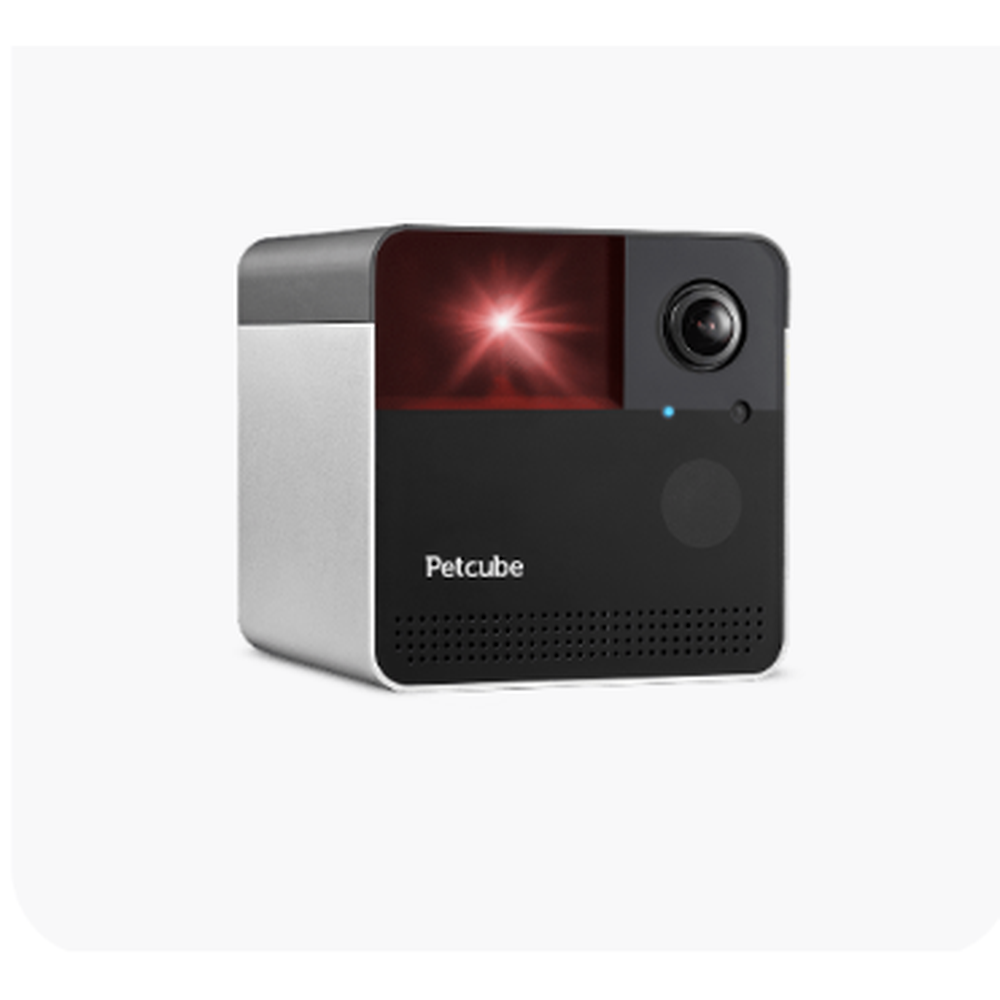
Petcube
Play 2 remains an unusual product because the camera and laser are genuinely integrated. It is compelling for the right pet, but the laser is a behavioral choice rather than a universal benefit.
What we like
- Built-in app-controlled laser toy
- 1080p HD with 160° wide-angle view
- Automatic night vision up to 30 ft
- Two-way audio
- Laser can be used manually or with autoplay
What to consider
- No mechanical pan/tilt
- 2.4 GHz Wi-Fi only
- Laser play is not a good fit for every pet
- Costs more than a basic camera
- Cloud history and smart alerts require optional Care
Product snapshot
| Video | 1080p HD with 8x digital zoom |
|---|---|
| Lens | 160° ultra-wide-angle view |
| Laser | Built-in certified laser toy |
| Night vision | Up to 30 ft |
| Connectivity | 2.4 GHz Wi-Fi |
| Dimensions | 90.1 × 81.45 × 90.1 mm |
| Mobile support | iOS 14+ and Android 7.1.2+ |
| Warranty | 1-year limited warranty |
The interactive camera in the Petcube lineup
Petcube Play 2 is built around a different idea from Cam and Cam 360. Instead of simply letting an owner watch and talk, it adds a laser toy that can be controlled from the app. For cats that reliably chase a laser—and some playful dogs—that makes remote check-ins feel more like an activity than surveillance.
The camera is wide but fixed
The 1080p camera uses a 160-degree wide-angle view with 8x digital zoom and night vision up to 30 feet. The lens does not mechanically rotate. That means the laser may move around the visible area, but the camera itself still needs to be placed where the pet commonly spends time.
Laser play should be matched to the pet
A laser is not automatically a benefit for every animal. Some pets lose interest quickly; others can become overly fixated or frustrated when there is nothing tangible to catch. The useful approach is moderation and observation. Many owners pair laser play with a physical toy or treat at the end of a session so the activity has a clear finish.
Care is optional
The camera does not require a paid Petcube Care subscription for basic live use. Care adds stored video history, smart alerts and related cloud features. Buyers should therefore decide whether the laser hardware is worth the price before treating the subscription as part of the camera itself.
Bottom line
Play 2 makes sense when interactive laser play is the feature you are specifically buying. For simple viewing, the cheaper Cam is easier to justify. For remote room coverage, Cam 360 is more flexible. For food-based interaction, Bites 2 Lite is the more natural fit.
Petcube Play 2 FAQs
Does Petcube Play 2 require a subscription?
No. Live camera use and the core device do not require a paid Care plan. Care adds recording and alert features.
Is the laser automatic?
The laser can be controlled in the app and Petcube also provides an autoplay mode.
Does Play 2 pan or tilt?
No. It uses a fixed 160° wide-angle lens.
Related reviews and buying guides
Category hub
Browse all Smart Pet Tech reviews →Related products
Research transparency
Research-based editorial review, fact-checked against current Petcube product and support pages. No hands-on testing claimed.
Last fact-check date: 2026-08-20
View the manufacturer research source
We do not claim hands-on testing unless the page identifies the tester, pet, test period, method, and original evidence.
Community experience